
If you have ever taken screenshots of Instagram Insights just to ask an AI assistant what is working, there is a more direct route. Riplo's remote MCP connection lets a compatible assistant read the analytics Riplo has for your connected Instagram account. You can ask about recent posts, Reels, and stories without handing the assistant your Instagram password.
This guide shows exactly where to find the MCP URL in Riplo and where to enter it in ChatGPT or Claude. The Riplo connection is free and read-only. Your AI provider may have separate plan or workspace requirements.
Before you start
You need a Riplo account with an Instagram Business or Creator account connected through Meta's official authorization flow. You also need an AI app that supports custom remote MCP servers.
Claude currently lets Free users add one custom connector, according to Claude's connector guide. ChatGPT's current custom MCP guide lists custom server creation for Business and Enterprise/Edu workspaces, subject to admin permissions. Check those pages before starting: free on Riplo does not mean every ChatGPT or Claude plan offers the same setup options.
Step 1: Copy the MCP URL from Riplo
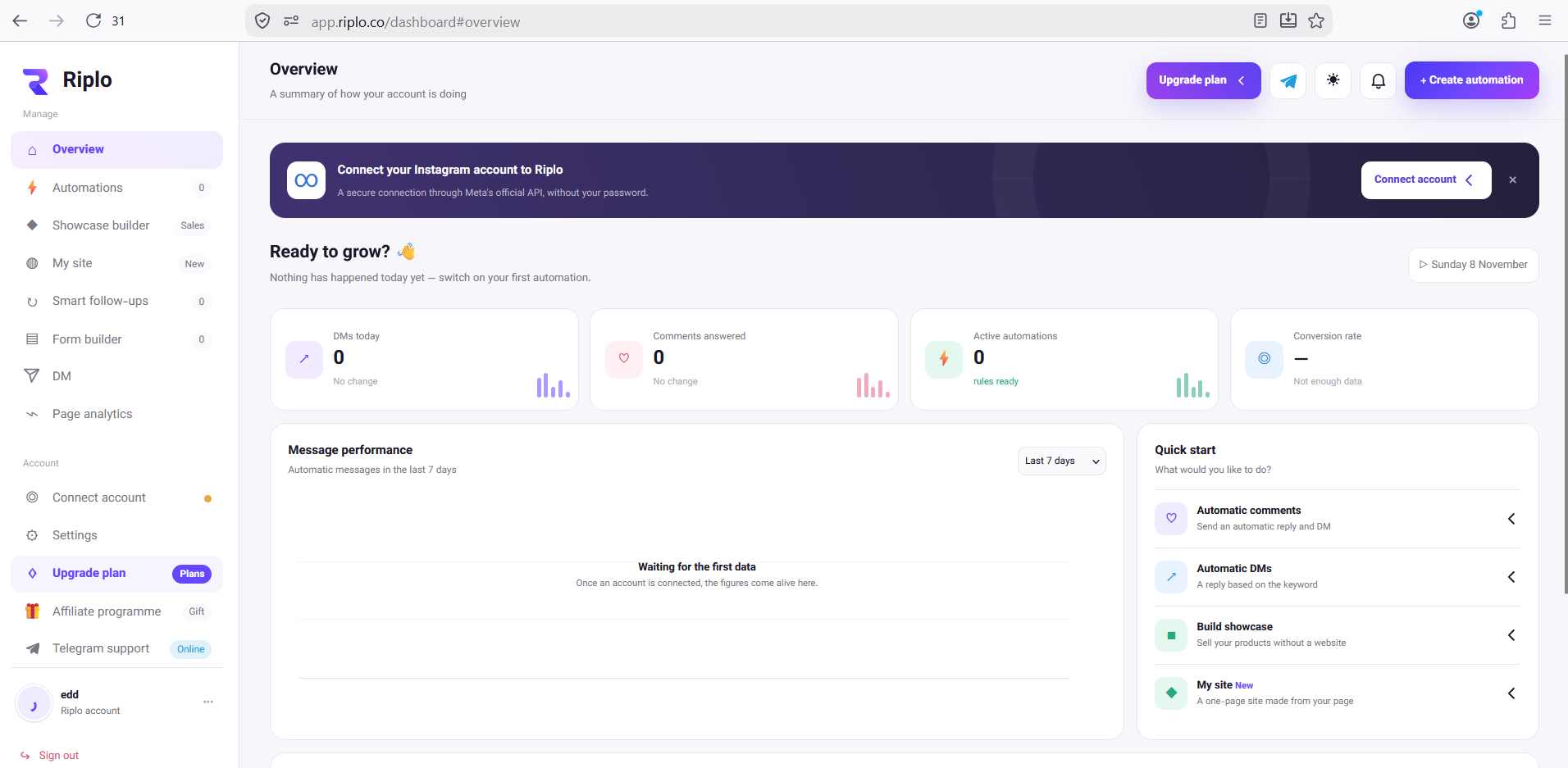
Sign in to Riplo's English dashboard. From Overview, select Connect account in the left sidebar. On that page, find the Connect Claude and other AI card. It shows the MCP server address and a Copy address button.
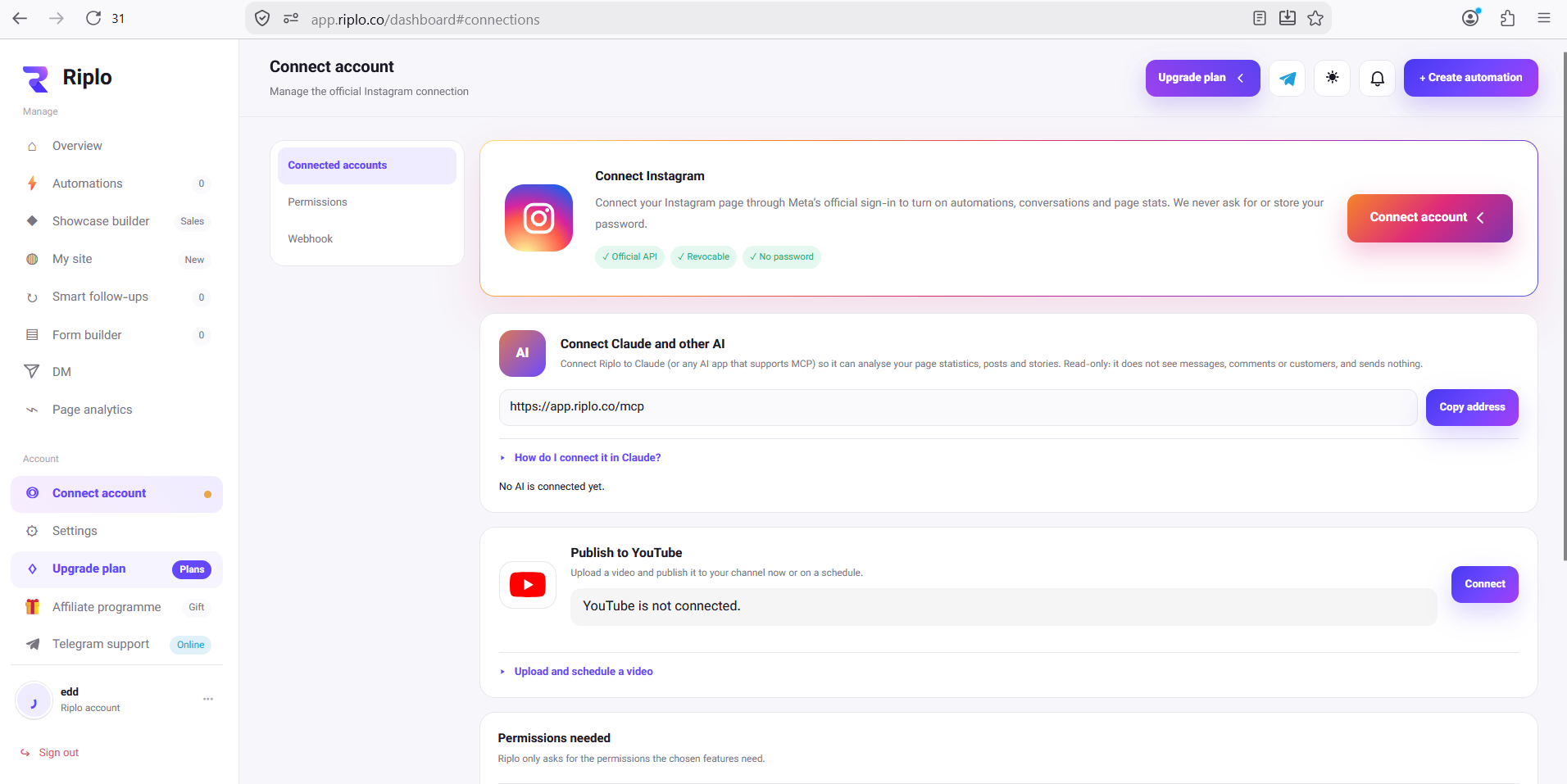
The current address is https://app.riplo.co/mcp. Copy it from your dashboard so you use the address Riplo presents for your connection. The URL itself is not an access token; you will authorize the AI app in a separate Riplo sign-in step.
Step 2A: Add Riplo in ChatGPT
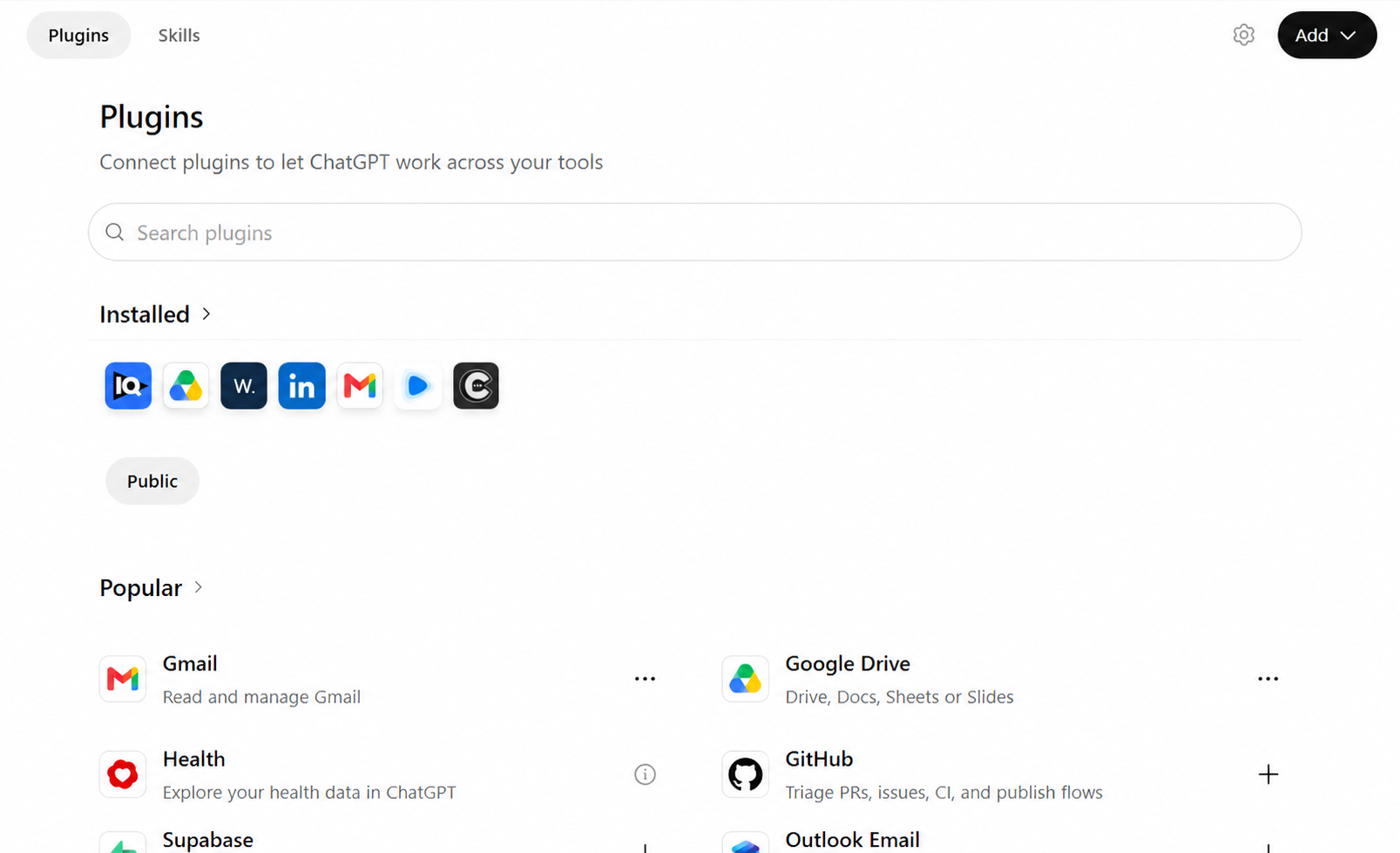
If your ChatGPT workspace permits custom MCP servers, open Plugins, select Add, then Add custom MCP server. OpenAI documents this route in its custom MCP setup guide.
Enter a name such as Riplo. Under Connection, choose Server URL and paste https://app.riplo.co/mcp. Choose OAuth for authentication.
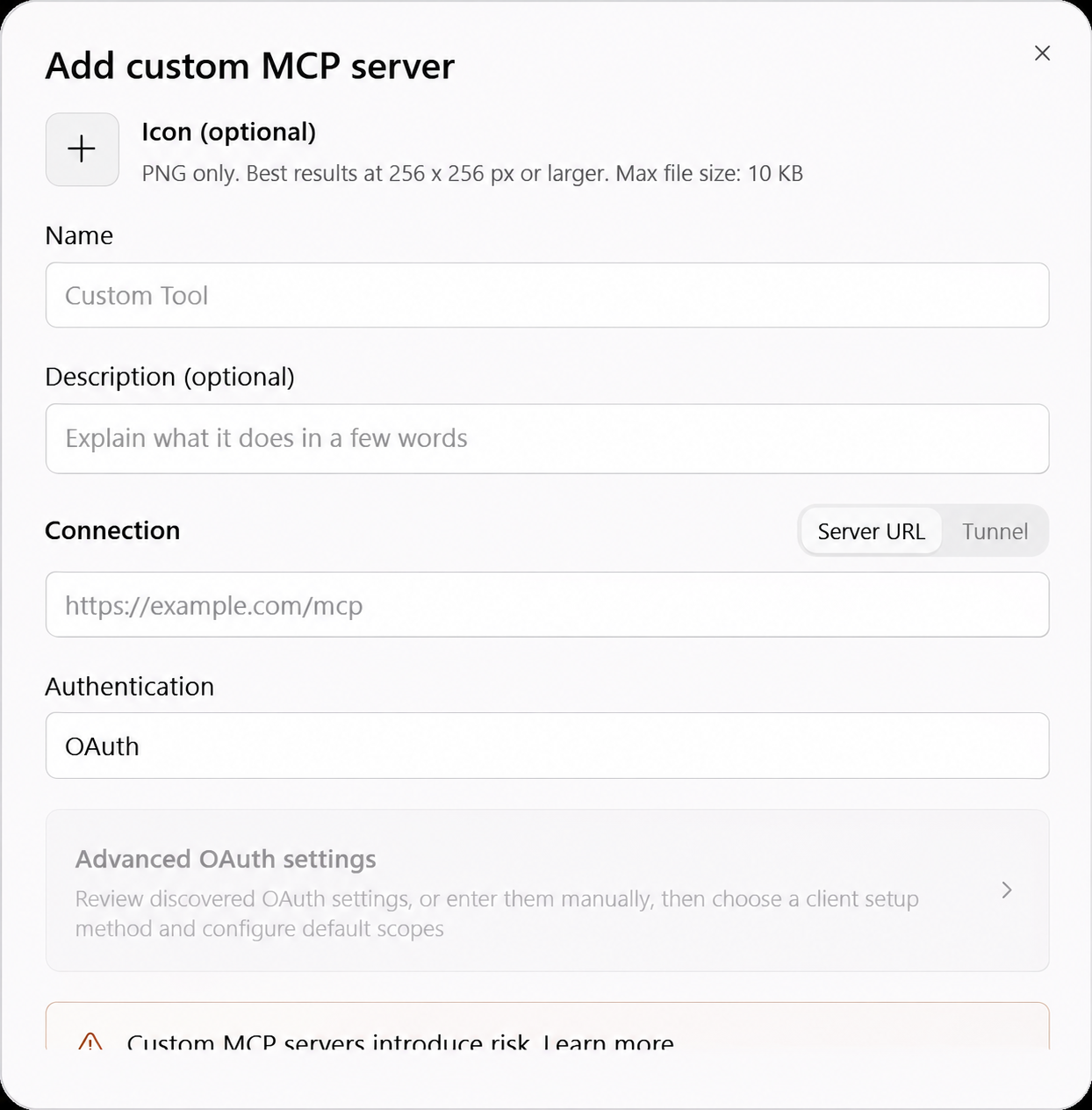
Read ChatGPT's risk notice and continue with the connection. ChatGPT redirects you to Riplo to sign in and review what data the assistant may read. Approve only if the account and permissions shown are the ones you expect. Then enable the Riplo connector in the conversation where you want to analyze your account.
If Add custom MCP server is missing, check your ChatGPT plan, your role in the workspace, and its plugin permissions. This setting is controlled by ChatGPT and your workspace; it is separate from Riplo's MCP price.
Step 2B: Add Riplo in Claude
In Claude, go to Customize → Connectors, add a custom remote connector, and paste https://app.riplo.co/mcp as the server URL. Follow Claude's authentication prompts and review the access request on Riplo's authorization page before connecting. For Team or Enterprise workspaces, an owner may need to add the connector for the organization first.
Claude's menus and OAuth choices can change. Its official remote MCP guide is the reference for the current flow and plan limits.
Try a question based on your account
Start with a focused question rather than “analyze my Instagram.” For example:
Compare my Reels from the last 30 days by views and engagement. Identify three patterns in the strongest posts, then suggest five ideas to test next week. Tell me when the underlying data was last refreshed.
You can also ask which recent stories got more views, or how the past seven days compare with the previous period. Metrics depend on what Instagram makes available to the connected account, so some fields may be absent. Riplo serves its stored analytics and refreshes them periodically; the response is not necessarily live.
What can the assistant access?
Riplo's current MCP connection is read-only. It can expose account analytics, post and Reel captions and metrics, and recent story analytics for the Instagram account you connected. It does not expose direct-message text, comments, or customer lists through this MCP connection. It cannot send messages, post comments, or change your automations.
You can disconnect an AI app from Riplo's Connections area. Review the authorization screen when connecting, especially if you manage more than one Instagram account.
Common questions
Is Riplo MCP free?
Yes. Riplo does not require a paid plan to use its MCP connection with a connected Instagram account. ChatGPT and Claude set their own plan and workspace limits.
Do I give ChatGPT or Claude my Instagram password?
No. You connect Instagram to Riplo through Meta's official flow. The AI app then asks Riplo for the specific read-only access you approve through OAuth.
Can the AI reply to my customers?
No. Riplo's current MCP tools are for reading analytics and informing content decisions, not sending DMs or changing the account.
If you are ready to try it, open Riplo's English dashboard, connect your professional Instagram account, and copy the MCP address from Connect account.